You’re the IT manager at a rapidly growing company. Your network, once manageable, has become increasingly complex with the growing infrastructure. Users are experiencing intermittent slowdowns and connectivity issues, causing frustration and impacting productivity.
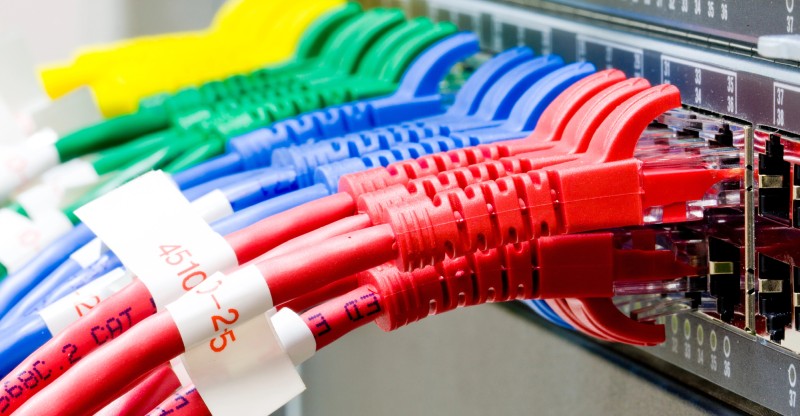
Reacting and troubleshooting these issues takes valuable time away from your core IT responsibilities. Users report intermittent slowdowns and occasional connection drops during peak shopping hours.
This translates to lost sales, frustrated customers, and a growing headache for you. You know you need a better way to monitor your network, especially your critical Cisco switches, but the complexity of these devices and the sheer number of challenges in monitoring them seems daunting.
The reactive struggle: Caught in the blaze
Initially, your IT team relied on a reactive approach to network monitoring. This meant waiting for a wildfire to consume half the forest, instead of extingushing it when it was a spark. Here’s what this reactive approach looks like:
- User complaints: The first signs of trouble come from a flurry of user complaints about slow loading times or dropped connections.
- Manual troubleshooting: Your team embarks on a time-consuming process of manually troubleshooting switches, analyzing logs, and sifting through mountains of data to pinpoint the issue.
- Limited visibility: Traditional monitoring tools offer a limited view of switch health and performance, making it difficult to identify root causes quickly.
- Reactive fixes: By the time the problem was identified, valuable time and productivity are already lost. The fixes were often temporary solutions, leaving the potential for future disruptions.
This reactive approach is increasingly unsustainable as the business grows. The growing number of users and network complexity makes troubleshooting a constant battle.
You need a better way to proactively manage your network and ensure optimal performance for your critical Cisco switches.
The proactive advantage: Fireproofing your network
Proactive monitoring was the key. Take the necessary precautions to prevent the forest fire in the first place. Here’s how a proactive approach would have helped:
- Real-time monitoring: Constantly monitor switch health, traffic patterns, and resource utilization to provide immediate insights into potential issues.
- Alerts and notifications: Automated alerts for critical events like high CPU utilization, interface errors, or port flapping enables your team to intervene before problems impacted users.
- Performance optimization: Proactive monitoring allows for identifying bottlenecks and taking corrective measures to optimize network performance before user experience is compromised.
- Reduced downtime: By addressing potential issues before they escalate, proactive monitoring significantly reduces downtime and ensures a more reliable network.
By transitioning to a proactive approach, you could transform your role from a reactive firefighter to a proactive network guardian, ensuring a smooth online experience for your customers and boosting overall business success. But how could you achieve this? Will it be easy?
Challenges in monitoring Cisco switches
One of the main challenges is that Cisco switches offer a vast array of features and functionalities. Effectively monitoring all these aspects requires a deep understanding of the Cisco IOS or Nexus Operating System (NX-OS) depending on the switch model.
- Scalability: The large amount of data generated by the switches, including traffic statistics, interface errors, and logs, can be challenging to sift through.
- IP address handling: Managing IP addresses, switch ports, and other network resources can become overwhelming as your network grows.
- Configuring firewall rules: Manually managing and auditing firewall rules across multiple switches is a complex and tedious task because security threats can lurk within firewall rule inconsistencies or misconfigurations.
- Managing configurations: Managing configurations across a growing number of switches is error-prone and time-consuming.
- Identifying bottlenecks: Understanding traffic patterns and identifying bottlenecks within your network can be difficult without proper visibility.
- Latency and performance metrics: Accurately measuring latency, packet loss, and other performance metrics in real-time requires robust monitoring tools.
Trying to overcome these challenges without any monitoring tools is not impossible, but it is close, due to the plethora of challenges faced in manual monitoring.You choose to use multiple specialized tools, or a single comprehensive solution to overcome these challenges.
How does monitoring Cisco switches benefit you?
A monitoring tool capable of in-depth Cisco switch monitoring, can be instrumental in improving the overall performance and functioning of your network. With proactive Cisco switch monitoring, you can get:
Enhanced network visibility: Monitor factors like interface utilization, packet errors, and port speeds, and gain valuable insights into network traffic patterns and potential bottlenecks. A network monitoring solution can further improve the visibility into the network, and make it easier to pinpoint issues.
Efficient port monitoring and fault management: By monitoring ports, you can classify them based on their availability, and get in-depth information about the devices associated with those ports, the services running on them, etc. You can get notified immediately about any anomalies in the ports, enabling you to troubleshoot with ease.
Increased network security: Detect suspicious activity or unauthorized access attempts by monitoring for port security violations, MAC address spoofing, or DDoS. You can identify and address security threats before they escalate.
Proactive problem detection: Monitor metrics like CPU utilization, memory usage, and temperature, to anticipate potential hardware failures. Some network monitoring solutions can also allow you to schedule preventative maintenance to minimize downtime and ensure network stability. A monitoring tool capacle of root cause analysis can further improve troubleshooting efficiency.
Improved network compliance: Keep track of access control lists (ACLs), VLAN configurations, and other security settings, and ensure you are meeting these compliance requirements.
Informed decision-making: The data and insights gained from Cisco switch monitoring empower you to make informed decisions about your network infrastructure. You can use this data for capacity planning, identifying the need for switch upgrades, or optimizing network configurations based on real-world usage patterns.
Proactive switch monitoring with OpManager Plus
A comprehensive solution like OpManager Plus can address almost all of the challenges above, while also providing the significant advantages, and more.

ManageEngine OpManager Plus is a proactive network monitoring software that offers a variety of features for Cisco switch monitoring, including switch stack monitoring, and switch port monitoring, and monitor metrics like link speed, bandwidth utilization, traffic in/out, errors, discards, and more.

It can also proactively monitor Cisco switch ports for anomalies and generate alerts when it detects issues such as link failures, excessive bandwidth utilization, or security vulnerabilities. You can configure custom thresholds for these metrics to ensure that you are only notified about the most critical events.
OpManager Plus can provide a graphical visualization of hardware information about switches, manage configuration changes, generate reports, and send alerts whenever it senses smoke. It empowers you to put it out before the issue engulfs your entire infrastructure.

With the monitored data, you can get a variety of reports on the monitored metrics, of Cisco switch port performance and availability.
These reports can be scheduled or generated on demand. They can also be exported in a variety of formats, such as CSV, PDF, and XLS, for further analysis.
Along with the features above, you can also leverage cutting-edge capabilities like observability for a holistic view of your infrastructure, and Network Packet Analysis (NPA) for troubleshooting. And it doesn’t end with Cisco switches—OpManager Plus offers comprehensive monitoring for your entire network infrastructure, providing a unified platform for complete network management.
Download the free, 30-day trial or sign up for a personalized demo to explore OpManager Plus.
Author name: Akash Prem Kumar. S

Bio: Akash Prem Kumar. S, aka APK, is a budding content writer at ManageEngine, a world-renowned tech giant. With a passion for storytelling and a knack for crafting engaging narratives, APK brings a unique blend of creativity and technical expertise to his writing. He holds a deep fascination for exploring the realms of fiction, and the intricacies of technology. Through his writing, APK seeks to inspire imagination, provoke thought, and evoke emotions in his audience. When he’s not busy penning down his technical blogs, APK enjoys delving into the latest trends in technology, exploring new books, and immersing himself in the wonders of nature.
Related Posts
- What is Cisco Switch Virtual Interface (SVI) – Configuration Example and Explanation
- Deleting the VLAN Database from a Cisco Switch (IOS or Nexus)
- What is Cisco Virtual Port Channel (vPC) – Explained and Discussed
- Discussion and Explanation of BPDU Guard (With Cisco Config Example)
- How Does a Network Switch Learn MAC Addresses?