My name is Harris Andrea and I would like to extend a warm welcome to you.
About me in a few words.
Let me tell you a story. When I was in my last year in University (in the late 90’s) I had to take some courses around TCP/IP and computer networking.
That was the time that something clicked in my mind. I don’t know if it was my professor’s teaching skills and enthusiasm about the subject, but after finishing those courses I knew that IP networking was the field I wanted to explore more in my professional career.
After graduating, I started working in a relatively small but high-caliber technology company that was a Cisco Gold Partner.
I was absorbing experience and information like a sponge. I got involved in all sorts of projects in designing and implementing networks based mainly on Cisco products and other high-profile vendors. That job was like a second University degree for me but in a more practical way.
After working there for almost 5 years, I moved on and got a new job in a big Internet Service Provider (ISP) where I’m still working until today.
During all these years in my new job I have been responsible for operating, supporting and designing huge networks that contain carrier-grade routers and switches, firewalls, intrusion prevention systems, management and monitoring systems, security infrastructure devices and anything that can be found in an ISP environment.
About this Website
About 15 years ago, I decided to create a blog to share my experience in the form of Cisco networking tutorials, configuration examples, guides, tips, industry news etc for both beginners and experts. This is how this blog was born.
If you want to receive Cisco tutorials, configuration guides and other networking and security related topics from me, subscribe below to join over 18,000 other professionals that receive my emails.
If you want to explore my blog, scroll until the end of this post to see my latest articles or click on a category to the right for all the topics I have written related to Cisco technologies, network and information security, general networking etc.
By subscribing below I will send you also three Cisco cheat sheet PDF files about the following:
• Cisco Routers Commands Cheat Sheet.
• Cisco Switches Commands Cheat Sheet.
• Cisco ASA Firewall Commands Cheat Sheet.
My Books
This blog has also been the home of my three books which have been embraced by thousands of professionals. They are available in both digital format (PDF) from this website and also as hard-copy books from Amazon so check them out below:
My Books in Digital Format:
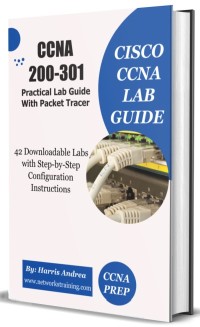 CCNA 200-301 Labs and Guide Book
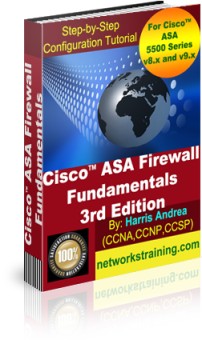 Configuration Tutorial For
Cisco ASA 5500 and 5500-X Firewalls
(Covers Newest v9.x)
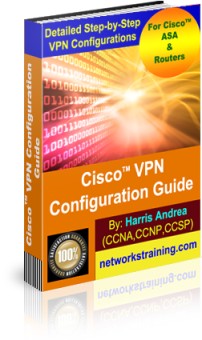
VPN Configuration Guide For
Cisco Routers and ASA Firewalls
With FREE ASA 5505 Configuration Tutorial Bonus
My Books in hard-copy format from Amazon
Cisco ASA Firewall Fundamentals – 3rd Edition
CCNA 200-301 Lab Guide Book with Packet Tracer
Closing Remarks
I’m here to help you as much as possible, that’s why I always try to answer every comment and email that I receive. Don’t hesitate to contact me or leave a comment under my posts on this website and I’ll try to address and answer your questions if I can.

 |
 |
 |