Study Plan for Cisco CCNA and CCNP exams

Saturday 12 November 2011 @ 5:26 pm

For whatever target we plan to conquer, there must be a plan in place in order to achieve our goals. Whether you are in the process of studying towards your CCNA/CCNP exams or whether you are just starting to think about taking those exams, you need to have a plan for success.

If you are planning to travel by car from New York to California, you certainly need a plan. You would get a map, plan what route you would take, plan when and where to stay for the nights etc. You certainly wouldn’t just take you car and start driving blindly hoping to arrive to your destination.

Similarly to our example above, studying towards a CCNA or CCNP exam needs a study plan. And this must be a solid study plan which you must follow with discipline. It wouldn’t be a good idea to just study randomly for a few minutes per day “when you feel like it”. Also, do not procrastinate about your study. The perfect time to start working on your certification preparation is not tomorrow. The best time to start is today.

Here are some tips for your study plan:

  • You will be much better off with one-two hours of focused and continuous study per day without interruptions at all, instead of 4 hours a day with a lot of breaks and interruptions in between.
  • Make a strict schedule of your study time. Consider this study time as an appointment with a client. Would you skip an important 1-hour meeting with a client and stay home to watch TV instead? Certainly not. Consider your study time as an important meeting with the most important client, which is YOU in this situation.
  • Avoid all possible interruptions during your study time. Turn off your cell phone, TV, fixed line phone, computer etc. Having a solid and focused study time is essential for passing your CCNA and CCNP exams.
  • Create a deadline for your studies. The best think to do this is to go ahead and pay and reserve your exam in order to take it within a time period in the future. It is proved that we do our best work when we have a deadline and a schedule. Therefore, creating some helpful stress with a deadline is a good thing for your CCNA/CCNP preparation. Again, consider the exam study period as a project for a client.

I hope the above study tips will help you in your endeavor of passing the CCNA or CCNP certification exams (or any other I.T exam you are planning to take).


Which Path is Best for your CCNA

Monday 31 October 2011 @ 7:20 pm

One issue that always arises when preparing to take the CCNA certification exam is what test path shall you take? For several years, Cisco offers two possible ways to obtain the CCNA certification.

  • To pass a single certification exam, which is called the CCNA Composite 640-802.
  • To pass two separate certification exams, namely the ICND1 (640-822) and ICND2 (640-816).

First of all let me clarify something here: The CCNA certification will be the same, no matter which path you have chosen to follow. The certification does not change with different versions of the exam, or by which exams taken, or how many times you have tried the test. It will always be the Cisco Certified Network Associate.

Now, regarding taking one or two exams, my personal opinion is to go for the single (composite) exam option, the 640-802. Why?

If you opt to pay for the 2 exams options, the first one, the 640-822, will give you the CCENT certification as well. But this certification (at least for now) it’s not that important in your resume.

Consequently, the only advantage I find to divide the certification in two exams, is that the first test needs shorter preparation with a more limited agenda, and therefore serves as the first encounter with the certification system and makes it easier to pursue the more advanced examination (640-816) which is more extensive and complex.

But for the 640-816 exam you cannot ignore the topics that were necessary to study for the first exam. That is, taking the second test is practically almost similar with taking the composite exam, with the only difference being that you will already have some experience in the interface and test environment.

This means, duplicate exam preparation time is needed (i.e longer overall preparation), more dedication is required, and also higher cost. I do not think it’s worthwhile to take the two exam path for the CCNA.

However, it is not to be considered completely unwise. In contrast, those who have chosen the way of Cisco training academy may find it better and easier to take first the 640-822 (complete the first 2 modules of the training), and finally take the 640-816 to complete modules 3 and 4. It’s a completely valid option as well.


Cisco ASA 1000V Cloud Firewall

Wednesday 19 October 2011 @ 1:29 pm

The cloud technology is spreading like wild fire all over the world. And like everything else in technology, unfortunately security is the last thing that vendors consider while developing technology. The same happened with the cloud. At the beginning, nobody thought about security in the virtual cloud. After several security weaknesses have been identified related with cloud and virtual environments, vendor started now to develop security products for cloud and virtual devices.

Cisco introduced the Virtual Security Gateway (VSG) some time ago. Now, it brings the proven and trusted Cisco ASA technology in the cloud to complement the VSG offering. The new ASA cloud product is called Cisco ASA 1000V Cloud Firewall.

The product employs the mainstream ASA (Adaptive Security Appliance) security technology that has been optimized for virtual environments. It works with the Cisco Nexus 1000V virtual switch and also integrates with the Cisco VNMC (Virtual Network Management Center) for administration and management purposes.

The ASA 1000V comes as a software package which is downloadable as an Open Virtualization Format file. It works with the VMware vSphere 4.1 or later releases with VMware ESX or ESXi servers.


vlan access-map example configuration

Friday 7 October 2011 @ 7:31 pm

In this post I will discuss Vlan access control lists (VACL), also called VLAN access Map or VLAN Map. A VLAN Access-map allows us to filter incoming and outgoing traffic in a switch Vlan. VLAN access-map configuration is very similar to the Route-map configuration.

A Vlan access-map is placed on the whole Vlan, which means that the incoming and outgoing traffic in a Vlan are filterd by the VLan access-map. We can apply a VLAN access-map to a Layer3 access-list and also to a mac access-list.

We know that the usual access control list (ACL), which is the most well known concept, has an implied DENY IP ANY ANY at the end. Of course, a VACL has the same implied deny statement, but this is not recommended, as we will see next.

Because a normal ACL checks only Layer 3 packet traffic, therefore it doesn’t block Layer 2 protocols like STP, VTP, ARP etc. On the other hand, a VLAN access-map blocks L2 protocols (in addition to Layer3), if we don’t explicitly allow them. That’s why it’s recommended to have an implicit deny all at the end.

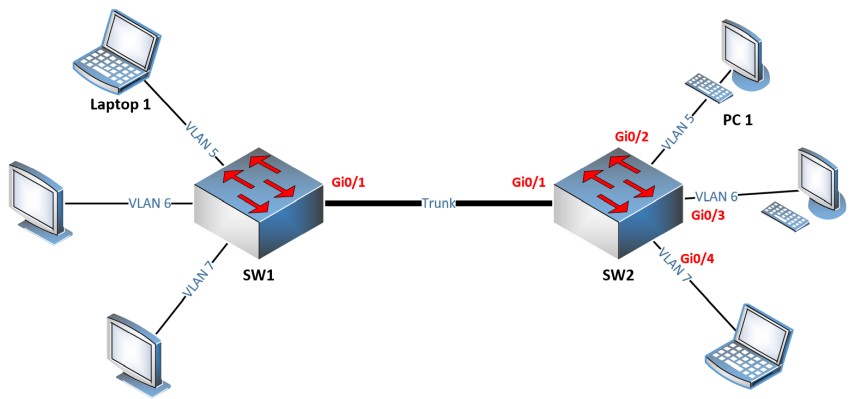
Looking now at the details, let’s consider the following example: we have two Routers R1 and R2 which are in the same VLAN (Broadcast Domain) and they are connected to each other via a switch as shown below. Let’s block only Telnet protocol from R1 and permit all the rest.

Before starting configuration, let’s check if telnet works from R1.

R1#telnet 192.168.10.2
Trying 192.168.10.2 … Open

User Access Verification

Password:

R1#quit

[Connection to 192.168.10.2 closed by foreign host]
R1#

As we see, telnet is working, so now let’s start the VLAN access-map configuration which will block telnet and permit everything else.

!Create access-list, by which interesting traffic will be matched. As I’ve already said, the principle of VLAN access-map config is similar to the route-map working principle. Later we snap this access-list to a VLAN access-map.

switch(config)#ip access-list extended  restrict_telnet_R2
switch(config-ext-nacl)#permit tcp host 192.168.10.1 host 192.168.10.2 eq 23

After this we’ll create a vlan access-map, which has two main parameters: action and match.

Match: by this parameter the interesting traffic is matched and here RACL or MAC ACL can be applied as well.

Action: what to do with matched traffic. Two main parameters exist: Drop and Forward. In case of Drop, matched traffic will be dropped, and in case of forward, matched traffic will be allowed. Also, on High-End devices, a Redirect and Capture parameters also exist in the Action statement.

In our case we must block matched traffic and permit all the rest.
switch(config-ext-nacl)#vlan access-map VACL 10
switch(config-access-map)#action drop
switch(config-access-map)#match ip address restrict_telnet_R2
switch(config-access-map)#vlan access-map VACL 20
switch(config-access-map)#action forward
switch(config-access-map)#exit

After creating the VLAN access-map, it should be applied to a VLAN or VLANs. In this case we’ll apply it to VLAN 10 which is specified by “vlan-list 10”.

switch(config)#vlan filter VACL vlan-list 10

By this configuration is completed. Let’s see if telnet is blocked and ping works.

R1#ping 192.168.10.2

Type escape sequence to abort.
Sending 5, 100-byte ICMP Echos to 192.168.10.2, timeout is 2 seconds:
!!!!!

R1#telnet 192.168.10.2
Trying 192.168.10.2 …
% Connection timed out; remote host not responding

As we see, ping is okay from R1 and telnet is blocked as we planned.


Next Posts »» «« Previous Posts
cisco asa firewall ebook

Configuration Tutorial For Cisco ASA 5500 Firewalls
With FREE ASA 5505 Configuration Tutorial Bonus

CLICK HERE TO DOWNLOAD EBOOKS

Sponsored Links