 |
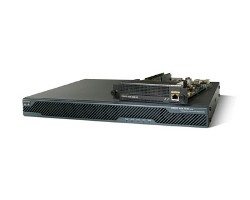 |
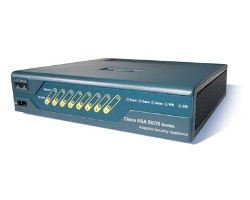
| CISCO ASA 5505 | CISCO ASA 5510 |
The two smallest ASA Firewall models, the 5505 and the 5510, are the only ones that have two types of licenses.
They can be ordered either with a Base License or a Security Plus License. Many customers of mine are always asking me what the difference is between the two licenses (except from the price of course), so I thought it would be useful to summarize below the differences between the two license types:
Quick Comparison Table (Base Vs Security Plus)
|
Cisco ASA 5505 |
|
|
Base License |
Security Plus License |
| 10,000 Maximum Firewall Connections | 25,000 Maximum Firewall Connections |
| 10 Maximum VPN Sessions (site-to-site and remote access) | 25 Maximum VPN Sessions (site-to-site and remote access) |
| 10 or 50 Maximum Internal Hosts | Unlimited Maximum Internal Hosts |
| 3 Maximum VLANs (Trunking Disabled)(2 regular zones and 1 restricted zone that can only communicate with 1 other zone) | 20 Maximum VLANs (Trunking enabled)(No restrictions of traffic flow between zones) |
| No High Availability (failover) supported | Supports Stateless Active/Standby failover |
|
Cisco ASA 5510 |
|
|
Base License |
Security Plus License |
| 50,000 Maximum Firewall Connections | 130,000 Maximum Firewall Connections |
| 5×10/100Integrated Network Interfaces | 2×10/100/1000 and 3×10/100
Integrated Network Interfaces |
| 50 Maximum VLANs | 100 Maximum VLANs |
| No High Availability (failover) supported | Supports Active/Active andActive/Standby failover |
| No Security Contexts (Virtual Firewalls) | Supports 2 Virtual Firewalls (included) and 5 maximum. |
| No Support for VPN Clustering and VPN Load Balancing | Supports VPN Clustering and VPN Load Balancing |
Cisco ASA 5505 User License Explained
I get a lot of questions regarding the meaning of user license numbers for the Cisco ASA 5505. This model is offered in three User License options.
- 10 users,
- 50 users and
- UL (unrestricted license).
The meaning of user license basically refers to concurrent IP addresses that can communicate between Internal (inside) network and Internet (outside) interface.
So, for 10 user license, only 10 concurrent internal hosts (IP addresses) can access the internet. The same applies for 50 users (only 50 concurrent IP addresses can access the Internet).
For UL license, there is no such restriction (the security plus is unrestricted in terms of internal hosts).
The user licensing has also an effect on the maximum number of IP addresses that can be assigned by the DHCP server of the ASA5505 to the internal hosts.
For a 10-user license, the max number of DHCP clients on the internal network is 32. For 50-user license, the max number of DHCP clients is 128.
The official explanation from Cisco regarding the Cisco ASA5505 user licensing is as follows:
“In routed mode, hosts on the inside (Business and Home VLANs) count towards the limit only when they communicate with the outside (Internet VLAN).
Internet hosts are not counted towards the limit. Hosts that initiate traffic between Business and Home are also not counted towards the limit.
The interface associated with the default route is considered to be the Internet interface. If there is no default route, hosts on all interfaces are counted toward the limit.
In transparent mode, the interface with the lowest number of hosts is counted towards the host limit. See the show local-host command to view host limits. ”
The terms “Business” and “Home” VLANs above refer to the Internal and DMZ network zones.
Cisco ASA 5505 Firewall License Restriction for DMZ
The Cisco ASA 5505 is a great product for small businesses (5-10 employees) or even for home network use.
However, if you need to create a DMZ zone (in addition to your Inside and Outside zones) in order to install a publicly accessible server (e.g WEB server, MAIL server etc), then the default basic license won’t work for you.
The basic license does not allow more than 2 security zones. You will need to upgrade to “Security Plus” license which also enhances some other firewall parameters (more firewall connections, more remote access VPN sessions, trunking with 20 VLANs).
The Licensing for the ASA 5505 is as following:
Cisco ASA 5505 10 User Firewall Edition Bundle
Includes: 10 users, 8-port Fast Ethernet switch with 2 Power over Ethernet ports, 10 IPsec VPN peers, 2 SSL VPN peers, Triple Data Encryption Standard/Advanced Encryption Standard (3DES/AES) license.
Cisco ASA 5505 50 User Firewall Edition Bundle
Includes: 50 users, 8-port Fast Ethernet switch with 2 Power over Ethernet ports, 10 IPsec VPN peers, 2 SSL VPN peers, 3DES/AES license.
Cisco ASA 5505 Unlimited User Firewall Edition Bundle
Includes: Unlimited users, 8-port Fast Ethernet switch with 2 Power over Ethernet ports, 10 IPsec VPN peers, 2 SSL VPN peers, 3DES/AES license.
Cisco ASA 5505 Security Plus Firewall Edition Bundle
Includes: Unlimited users, 8-port Fast Ethernet switch with 2 Power over Ethernet ports, 25 IPsec VPN peers, 2 SSL VPN peers, DMZ support, Stateless Active/Standby high availability, Dual ISP support, 3DES/AES license.
Cisco ASA 5505 Vlans and Licensing
The eight physical network interfaces of the Cisco ASA 5505 firewall appliance can be divided into groups that function as separate security zone networks.
Each group is a Layer 2 Vlan. Devices in the same group (Vlan) can communicate directly between them without passing through the security control of the firewall.
On the other hand, devices between different Vlans can only communicate with each other by passing the traffic through the adaptive security appliance where relevant security policies are applied.
By default, there are two Vlans (VLAN1 and VLAN2) preconfigured on the firewall by default. Port Ethernet0/0 belongs to VLAN2 and ports Ethernet0/1 to 0/7 belong to VLAN1.
For example, when a switch port on VLAN1 is communicating with a switch port on VLAN2, the adaptive security appliance applies configured security policies to the traffic and routes or bridges the traffic between the two VLANs.
Usually Port Ethernet0/0 connects to the outside untrusted interface (Internet), and ports Ethernet0/1 to 0/7 connect to the inside trusted network zone.
The license installed on the 5505 firewall determines the number of active VLANs allowed on the appliance as described below:
Basic ASA 5505 License VLANs:
The basic license allows only 3 active VLANs which you can use as Inside, Outside and DMZ. However, there is a restriction here that many people do not know about: The DMZ VLAN can access ONLY the Outside VLAN but can not access the Inside VLAN. The other two VLANs (Inside and Outside) can access all the other VLANs with no problems.
Security Plus ASA 5505 License VLANs:
The Security Plus license, removes all limitations and allows up to 20 active VLANs to be configured. Since there are only 8 physical ports, you can create several vlan subinterfaces on each physical port to segment your network into different security zones (e.g Inside, Outside, DMZ1, DMZ2, Sales, Engineering etc).
How to upgrade Cisco ASA 5500 Firewall License
To upgrade the current license of your cisco ASA firewall, you need to order a new license key from Cisco at www.cisco.com/go/license. You will receive a new license key in your email after a couple of hours. This license key is a five element hexadecimal string in the form 0xffd8624e (as an example).
To apply this new license key in your security appliance, configure the following:
ASA5500(config)# activation-key 0xffd8624e
ASA5500(config)#exit
ASA5500#copy running startup
ASA5500#reload
Related Posts
- What is Cisco ASA Firewall – All you need to Know
- Traffic Rate and Bandwidth Limiting on Cisco ASA Firewall
- Cisco ASA Firewall (5500 and 5500-X) Security Levels Explained
- Cisco ASA 5505-5510-5520-5540-5550-5580 Performance Throughput and Specs
- Password Recovery for the Cisco ASA 5500 Firewall (5505,5510,5520 etc)